Setting Up Socket Firewall Before the Next Supply Chain Attack
Supply chain attacks do not wait until production. They can run on a developer laptop during npm install, inside a CI job during npm ci, or inside an agent workspace when an LLM follows a package installation instruction too quickly.
That is the reason to put a firewall in front of package managers. The goal is simple: before a package artifact reaches the machine, check whether it is known malicious or suspicious enough to block.
This setup uses Socket Firewall Free. It wraps common package-manager commands so normal installs route through Socket by default.
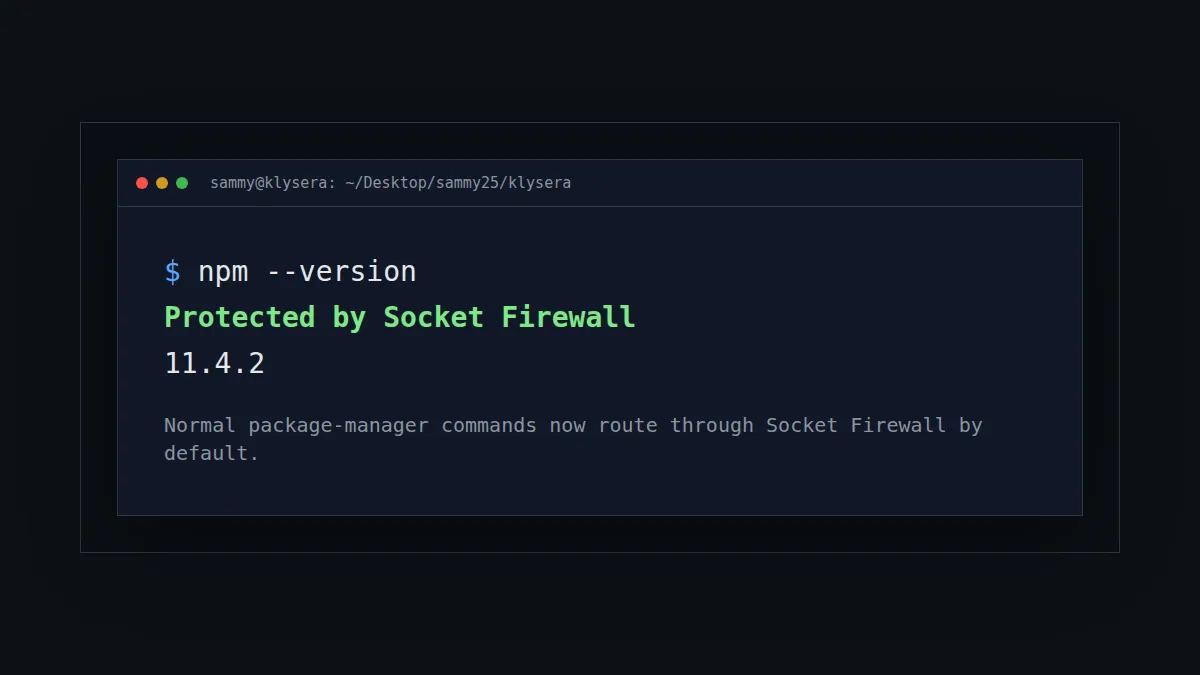
Normal package-manager commands now route through Socket Firewall by default.
Why This Became Urgent
The TanStack npm compromise made the risk easy to see. A trusted project published malicious versions across @tanstack/* packages. The postmortem says the incident affected 84 malicious versions across 42 packages, with an attack chain involving GitHub Actions, cache poisoning, and OIDC token extraction from runner memory.
That incident is part of a larger pattern. GitHub reported a 69% increase in npm malware advisories in 2025, with 7,197 npm malware advisories published that year. The tj-actions/changed-files compromise affected more than 23,000 repositories. Datadog documented TeamPCP in 2026 as a coordinated campaign spanning PyPI, npm, Docker Hub, and GitHub Actions.
The pattern is not just bad packages. The pattern is that attackers now understand the developer workflow. They target package registries, install scripts, CI systems, tokens, caches, and the trust boundary between maintainers and consumers.
What Socket Firewall Does
Socket Firewall sits in front of package-manager network requests. When a package manager tries to fetch a package artifact, Socket checks that request and can block known malicious packages before they land on the machine.
This is different from auditing after installation. An audit tells you what is already in the project. Install-time protection tries to stop the package before it gets there.
The protection is not magic. If the package is already cached locally, there may be no network request for Socket to inspect. That means cache clearing matters when you are investigating a suspicious package or resetting a development environment after a supply chain incident.
Install Socket Firewall
Install the free firewall CLI globally:
npm install -g sfw
Verify it:
sfw --help
You should see Socket Firewall usage instructions.
Use It Directly
The simplest usage is to prefix package-manager commands with sfw:
sfw npm install
sfw npm ci
sfw npx create-next-app@latest
sfw pip install requests
sfw uv pip install requests
That works, but humans forget. LLM agents forget faster. The better setup is to make the safe path the default path.
Make It Global In Your Shell
For zsh, add this block to ~/.zshrc:
# Socket Firewall global wrappers
# Routes package-manager installs through Socket Firewall from any directory.
# Bypass for one command with: SFW_BYPASS=1 npm install <pkg>
if command -v sfw >/dev/null 2>&1; then
  _sfw_pm() {
    local cmd="$1"
    shift
    local bin
    bin="$(whence -p "$cmd")"
    if [[ -z "$bin" ]]; then
      print -u2 "Socket Firewall: could not find real $cmd on PATH"
      return 127
    fi
    if [[ "${SFW_BYPASS:-}" == "1" ]]; then
      "$bin" "$@"
      return $?
    fi
    command sfw "$bin" "$@"
  }

  npm() { _sfw_pm npm "$@"; }
  npx() { _sfw_pm npx "$@"; }
  pnpm() { _sfw_pm pnpm "$@"; }
  yarn() { _sfw_pm yarn "$@"; }
  pip() { _sfw_pm pip "$@"; }
  pip3() { _sfw_pm pip3 "$@"; }
  uv() { _sfw_pm uv "$@"; }
  cargo() { _sfw_pm cargo "$@"; }
fi
This block first checks that Socket Firewall is installed, then defines a helper that finds the real package-manager binary before running it through sfw. It adds shell functions for npm, npx, pnpm, yarn, pip, pip3, uv, and cargo, so normal install commands are protected without changing your daily workflow. The SFW_BYPASS=1 branch gives you an explicit escape hatch for one command when you need to investigate or work around a blocked install.
For bash, add this version to ~/.bashrc:
# Socket Firewall global wrappers
# Routes package-manager installs through Socket Firewall from any directory.
# Bypass for one command with: SFW_BYPASS=1 npm install <pkg>
if command -v sfw >/dev/null 2>&1; then
  _sfw_pm() {
    local cmd="$1"
    shift
    local bin
    bin="$(type -P "$cmd")"
    if [[ -z "$bin" ]]; then
      echo "Socket Firewall: could not find real $cmd on PATH" >&2
      return 127
    fi
    if [[ "${SFW_BYPASS:-}" == "1" ]]; then
      "$bin" "$@"
      return $?
    fi
    command sfw "$bin" "$@"
  }

  npm() { _sfw_pm npm "$@"; }
  npx() { _sfw_pm npx "$@"; }
  pnpm() { _sfw_pm pnpm "$@"; }
  yarn() { _sfw_pm yarn "$@"; }
  pip() { _sfw_pm pip "$@"; }
  pip3() { _sfw_pm pip3 "$@"; }
  uv() { _sfw_pm uv "$@"; }
  cargo() { _sfw_pm cargo "$@"; }
fi
The bash version does the same job, but it uses type -P instead of whence -p because command lookup differs between bash and zsh. It keeps the wrapper from calling itself recursively by resolving the underlying executable first, then handing that executable to Socket Firewall. This lets terminals, scripts, and agents that start in bash get the same install-time protection as zsh sessions.
Reload the shell:
source ~/.zshrc
Now a normal command like this:
npm install
routes through Socket Firewall automatically.
Verify The Wrapper
Run:
npm --version
If the wrapper is active, Socket prints:
Protected by Socket Firewall
You can check Python too:
pip --version
uv --version
The version command may also print a warning that no package fetch attempts were detected. That is fine. A version command does not download packages. The important part is that the command is being routed through Socket.
Clear Package Manager Caches
Socket can only block what it sees. If a package is already cached, your package manager may not make a network request. Clear caches when you want a clean protected install path.
SFW_BYPASS=1 npm cache clean --force
SFW_BYPASS=1 pnpm store prune
SFW_BYPASS=1 yarn cache clean
SFW_BYPASS=1 pip cache purge
SFW_BYPASS=1 uv cache clean
The SFW_BYPASS=1 prefix is intentional here. Cache cleanup is not a package fetch, so it does not need firewall inspection.
Use A Bypass Deliberately
Some install flows may break because the firewall blocks a package or because a tool does unusual networking. Do not bypass casually. The bypass exists for investigation, not convenience.
SFW_BYPASS=1 npm install <package>
If a package only works when bypassing the firewall, treat that as a review event. Check the package, version, maintainer history, install scripts, and why the firewall objected.
What LLM Agents Should Do
LLM coding agents should treat package installation as a security-sensitive action.
Before installing:
- Prefer existing dependencies already declared in the project.
- Read
package.json, lockfiles, and existing setup docs first. - Use the wrapped package manager command, not a raw binary path.
- Avoid installing packages just to save a few lines of code.
- If the user asks to install something new, explain why it is needed.
During installation:
- Use
npm,pnpm,yarn,pip,uv, orcargonormally, so the shell wrapper routes through Socket Firewall. - Do not bypass Socket unless the user explicitly approves it.
- If Socket blocks a package, stop and report the package name, version, and reason.
After installation:
- Check the diff to confirm only expected files changed.
- Review lockfile changes.
- Run the smallest relevant test.
- Record any security-relevant exception in the project notes.
What This Does Not Solve
Socket Firewall reduces install-time exposure. It does not replace dependency review, lockfiles, SBOMs, CI hardening, provenance checks, or least-privilege tokens.
It also does not protect against every compromised package instantly. Detection still depends on threat intelligence, package behavior, and whether the artifact request reaches the firewall.
That is still a meaningful improvement. The default state moves from "download first, inspect later" to "inspect before download when possible."
The Operating Rule
Use normal package-manager commands. Let the shell route them through Socket Firewall.
If you are a human, this removes one thing to remember.
If you are an LLM agent, this makes the safer path the path of least resistance.
That is the point. Supply chain security cannot depend on everyone remembering to be careful at the exact moment they are trying to move fast.